If statements are useful for being a sort of block.
They check if a value is true and if it is true, then
it executes what is inside it's brackets.
If statements can be used for movement of a player or enemy.
If statements are very helpful in every programming language,
since it helps to execute something under a certain
condition.
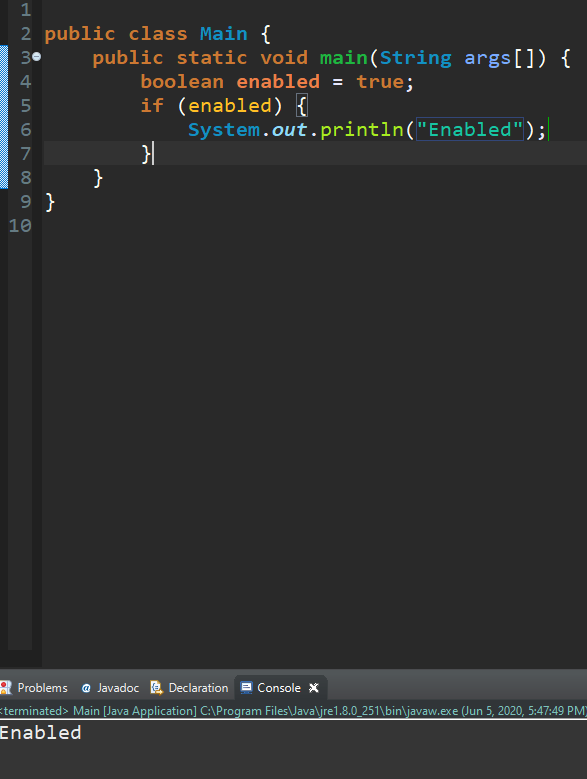
Here is an example of an if statement:
Just saying the boolean's name will basically be the same as
saying if (enabled == true) {} if (enabled) {} is a faster way of saying it.
It saves space aswell.
There are symbols in Java that can help if statements.
&& symbol
The two ampersan symbols mean and. In an if statement
both sides have to be true.
Examples: if (x == 5 && y == 0) {trigger = true} if (x == 0 && y == 5) {trigger = false}
|| symbol
The two || symbols mean or. Or symbols in if statements
say if value is 5 or the value is 10 then do stuff.
Examples: if (x == 5 || y == 0) {trigger = true} if (x == 0 || y == 5) {trigger = false}
> symbol
The > symbol means greater than.
Examples: if (x > 5) {trigger = true} if (y < 0) {trigger = false}
< symbol
The > symbol means less than.
Examples: if (x < 5) {trigger = false} if (y > 0) {trigger = true}
>= symbol
The >= symbol means greater than or equal to.
Examples: if (x >= 5) {trigger = true} if (y <= 0) {trigger = false}
<= symbol
The <= symbol means less than or equal to.
Examples: if (x <= 5) {trigger = false} if (y <= 0) {trigger = true}
!= symbol
The != symbols means does not equal to.
Examples: if (x != 5) {trigger = false} if (y != 0) {trigger = true}
Else
Lets say you have an if statement, and you want to say
that if this condition is not true then do something else.
Thats where else statements come into play.
Else statments can be very useful when game designing.
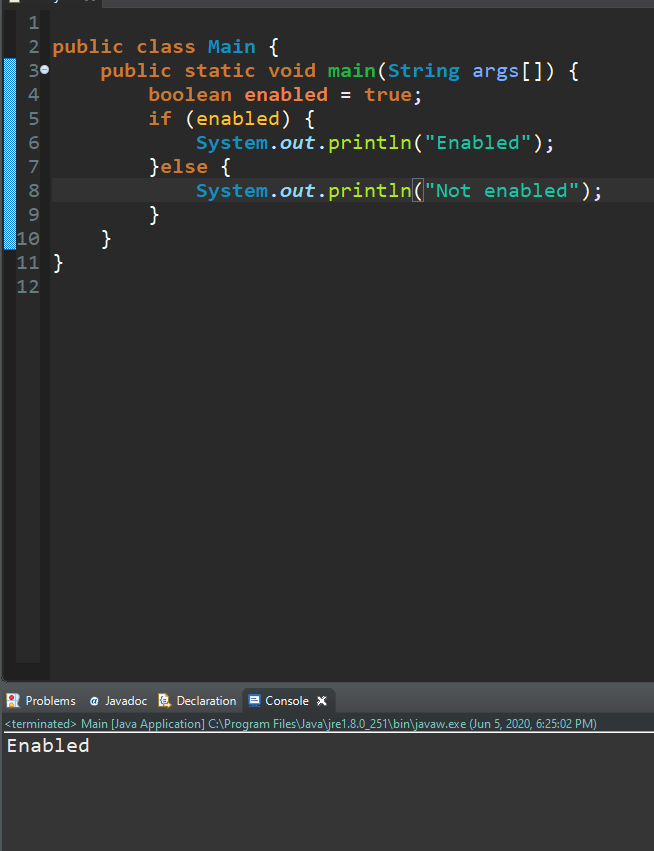
Here is an example of an else statement, however the if statement is true so it
does not do the else statement:
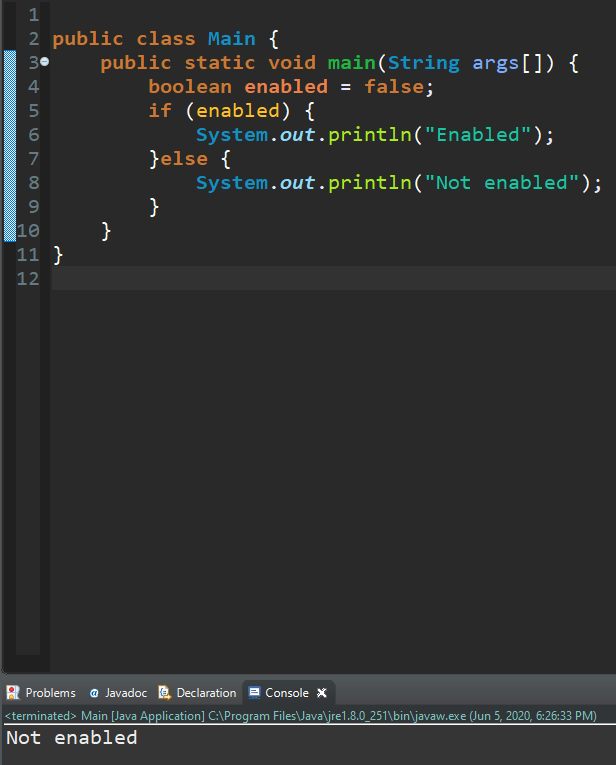
However here the if statement returns false, therefore if there
is an else statement, it will execute whatever is inside the else
statement's brackets.
Else if
Else if statements are like else statments. However
they have to check wether their condition is true.
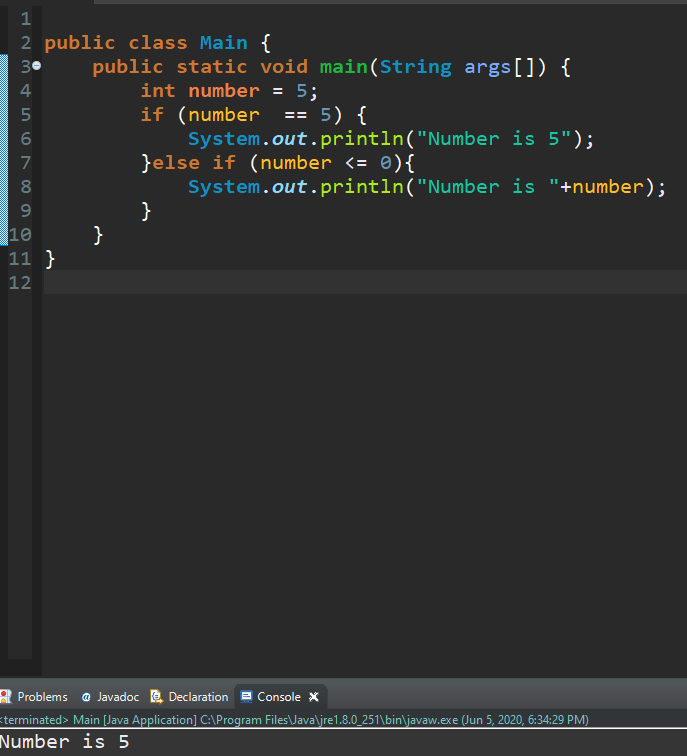
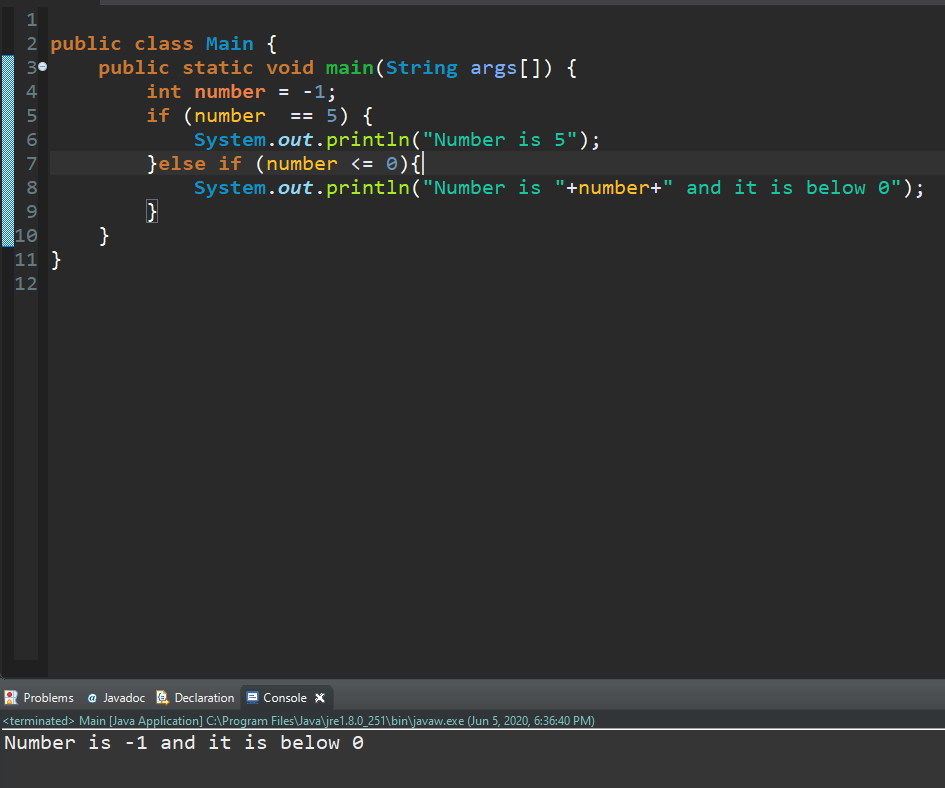
So that lets say we have an if statement and
it checks if a number is equal to 5. However if not,
then it checks if it is below or equal to 0.
So the else statement only only triggers when the
number is below or equal to 0.
Here is an example:
As you can see it went into the if statement and did not trigger the else if
statement. Now let's try setting the number to -1.
As you can see it triggered the else if statement and we got
a different result. This block of code will not trigger if the number
is greater than or equal to 1 and less than or equal to 4.
 If statments